
 Photoshop
 Maya
Maya ZBrush
 Houdini
 Unreal Engine
 Substance Painter
 Nuke
Nuke Arnold
 KeyShot
 V-Ray
V-Ray Substance Designer
 Mari
Mari Marvelous Designer
 Marmoset Toolbag
 3ds Max
 3DCoat
 Redshift
 After Effects
 Faceform Wrap
 Lightroom
 OctaneRender
 SpeedTree
 Daz 3D
 Agisoft Metashape
 Fusion
 Modo
Modo RealityCapture
 Gaea
Gaea Cinema 4D
 Gravity Sketch
 Premiere
 Procreate
 Substance 3D Modeler
 Katana
 Mudbox
 Krita
Krita World Creator
 Yeti
Yeti Ziva VFX
 SketchBook
 Quixel DDO
 Mixamo
 Natron
 Quixel Bridge
 Quixel Megascans
 Adobe Medium
 Quixel Mixer
 SynthEyes
 Clip Studio Paint
 SketchUp
 Unity
Unity Gaffer
 Massive
 Materialize
 Ornatrix
 PreForm
 Corel Painter
 Moi 3D
 QuickTime
 Storyboard Pro
 TreeIt
 animBot
 ReCap
ReCap Meshmixer
 DaVinci Resolve
 World Machine
 xNormal








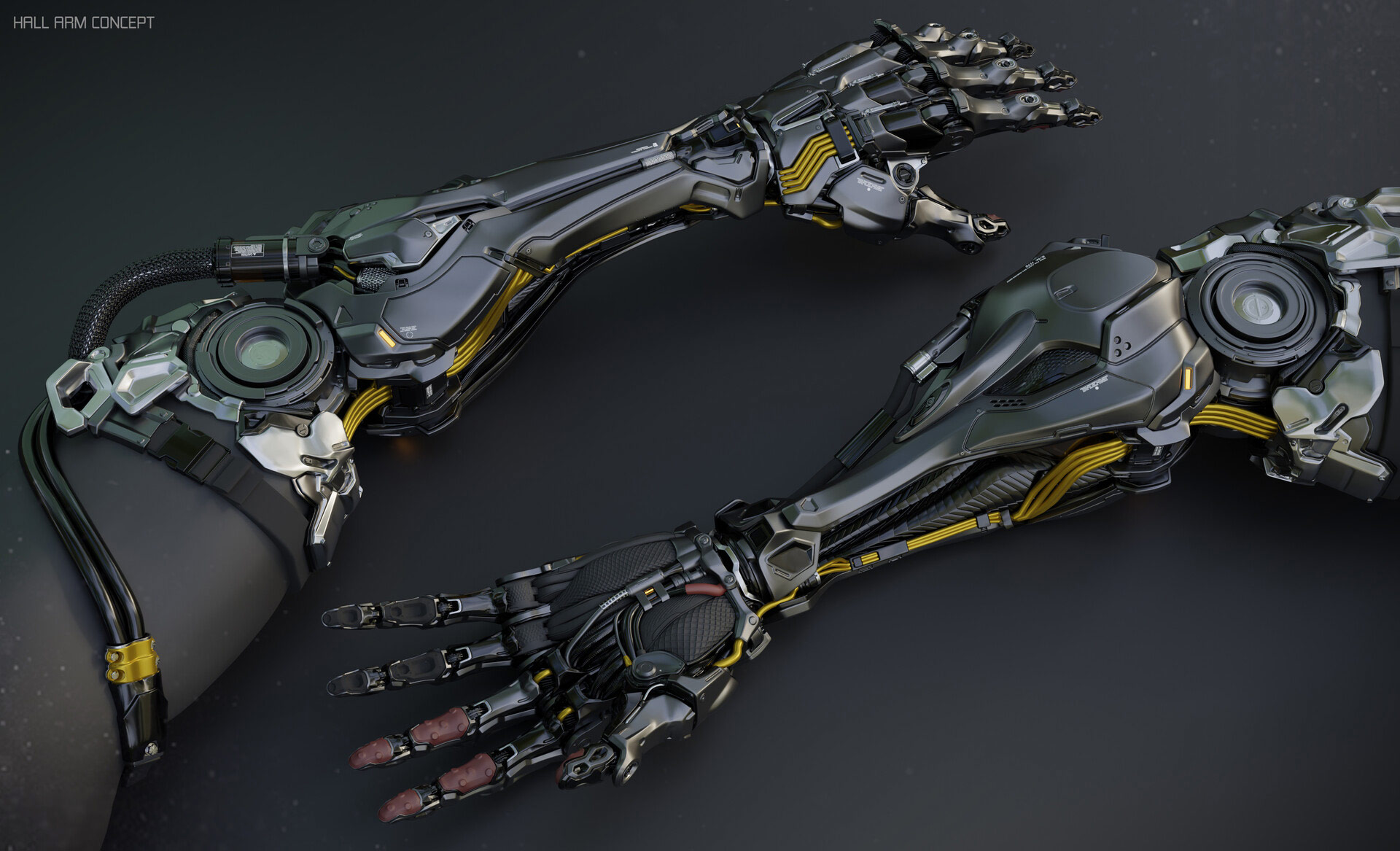


For artists working in the entertainment industry, elevating hard-surface designs from acceptable to a professional level depends heavily on the final detailing stage. In this highly focused, 30-minute technique spotlight, professional concept artist Bryant Momo Koshu shares the powerful tricks he uses to rapidly enhance hard-surface models using Blender. This workshop is ideal for intermediate-level artists looking to advance their Blender skills.
This concise workshop has been designed to give artists immediate, actionable workflows for adding intricate layers of detail — specifically, nuts, bolts, panel lines, and cables — to 3D assets, and to teach how to avoid being held back by tedious modeling pipelines.
This workshop uses Blender as the core software. Bryant uses two recommended Blender add-ons in his demonstrated workflow: Decal Machine and Cablerator.
3 Lessons
Bryant Momo Koshu shares two distinct methods to quickly add micro-details to mechanical surfaces. Firstly, he shows how to master the basics of the Decal Machine Blender add-on to rapidly snap, scale, and wrap 2D details onto flat or rounded surfaces. Second, he demonstrates a clever, three-dimensional alternative using vertex groups, weighted influences, and the Shrink Wrap modifier. To finish this first lesson, he shows how to use the Data Transfer modifier to seamlessly blend distinct kitbash geometry onto your base mesh for flawless normals.
Duration: 11m 2s

In this second lesson, Bryant discusses how Panel lines give 3D models a complex, "techie" appearance. This lesson covers two efficient ways to slice details into a mesh. First, he demonstrates how to use the Decal Machine to instantly generate panel decals from an edge selection, adjusting width and styles on the fly. He then shows how to use Boolean Vertex Cutters to build a completely non-destructive panel system using basic vertices, a Screw modifier, a Solidify modifier, and Boolean operations — allowing artists to freely change cut directions at any time.
Duration: 10m

Bryant reveals how to bring machinery models to life by routing complex wires and cables through them. In this lesson, he demonstrates how to use the Cablerator Blender add-on to instantly draw and adjust the tension and droopiness of cables. To complete the demonstration, he goes over Custom Overlays. He shows how to create a custom wireframe mesh segment and automatically duplicate it along cable paths for an advanced sci-fi finish.
Duration: 7m 51s

Primary tools
For this workshop you’ll need:

* Note that these programs and materials will not be supplied with the course.
Skills Covered
Who’s this Workshop for?
This workshop is designed for intermediate-level concept artists and 3D modelers working in the entertainment industry who want to elevate their hard-surface modeling skills in Blender to a professional standard.
Artists working in film, games, and animation who are looking to streamline their modeling workflows will find value in Bryant's rapid detailing techniques and learn actionable methods to efficiently transform acceptable models into industry-ready assets.
Learning Outcomes
By completing this workshop, artists will have mastered professional-grade detailing techniques for rapidly transforming basic hard-surface models into polished, industry-standard assets.
Key skills include:
- How to efficiently add nuts, bolts, and mechanical details using optimized Blender workflows.
- How to create clean panel lines and surface divisions without tedious manual modeling.
- How to implement realistic cable systems using the Cablerator add-on for enhanced detail in Blender.
- How to utilize the Decal Machine add-on for Blender to effectively add intricate surface details and weathering.
- How to avoid common time-consuming modeling pitfalls that slow down production pipelines.
- How to layer multiple detail elements cohesively for professional-quality hard-surface assets.


