 Photoshop
 Maya
Maya ZBrush
 Houdini
 Substance Painter
 Blender
 Arnold
 Nuke
Nuke KeyShot
 V-Ray
V-Ray Marmoset Toolbag
 Mari
Mari Marvelous Designer
 3ds Max
 3DCoat
 Redshift
 Faceform Wrap
 Lightroom
 After Effects
 OctaneRender
 SpeedTree
 Daz 3D
 Agisoft Metashape
 Fusion
 Modo
Modo RealityCapture
 Gaea
Gaea Cinema 4D
 Gravity Sketch
 Premiere
 Procreate
 Clip Studio Paint
 SketchUp
 SketchBook
 Katana
 Natron
 Mudbox
 Quixel Bridge
 Quixel Megascans
 Quixel Mixer
 Substance 3D Modeler
 World Creator
 Yeti
Yeti Ziva VFX
 Mixamo
 Adobe Medium
 Quixel DDO
 xNormal
 Meshmixer
 Storyboard Pro
 DaVinci Resolve
 TreeIt
 World Machine
 Gaffer
 Corel Painter
 SynthEyes
 Krita
Krita Massive
 Materialize
 Unity
Unity Ornatrix
 PreForm
 Moi 3D
 animBot
 QuickTime
 ReCap
ReCap
















This series of lessons relies on using standard Substance Designer nodes and tools. No advanced technical knowledge is required, although a basic understanding of the software's interface and core concepts is recommended. Whether you are new to Substance Designer, interested in creating realistic natural environments, or looking to improve your procedural texturing workflow, this workshop will provide valuable techniques and practical insights.
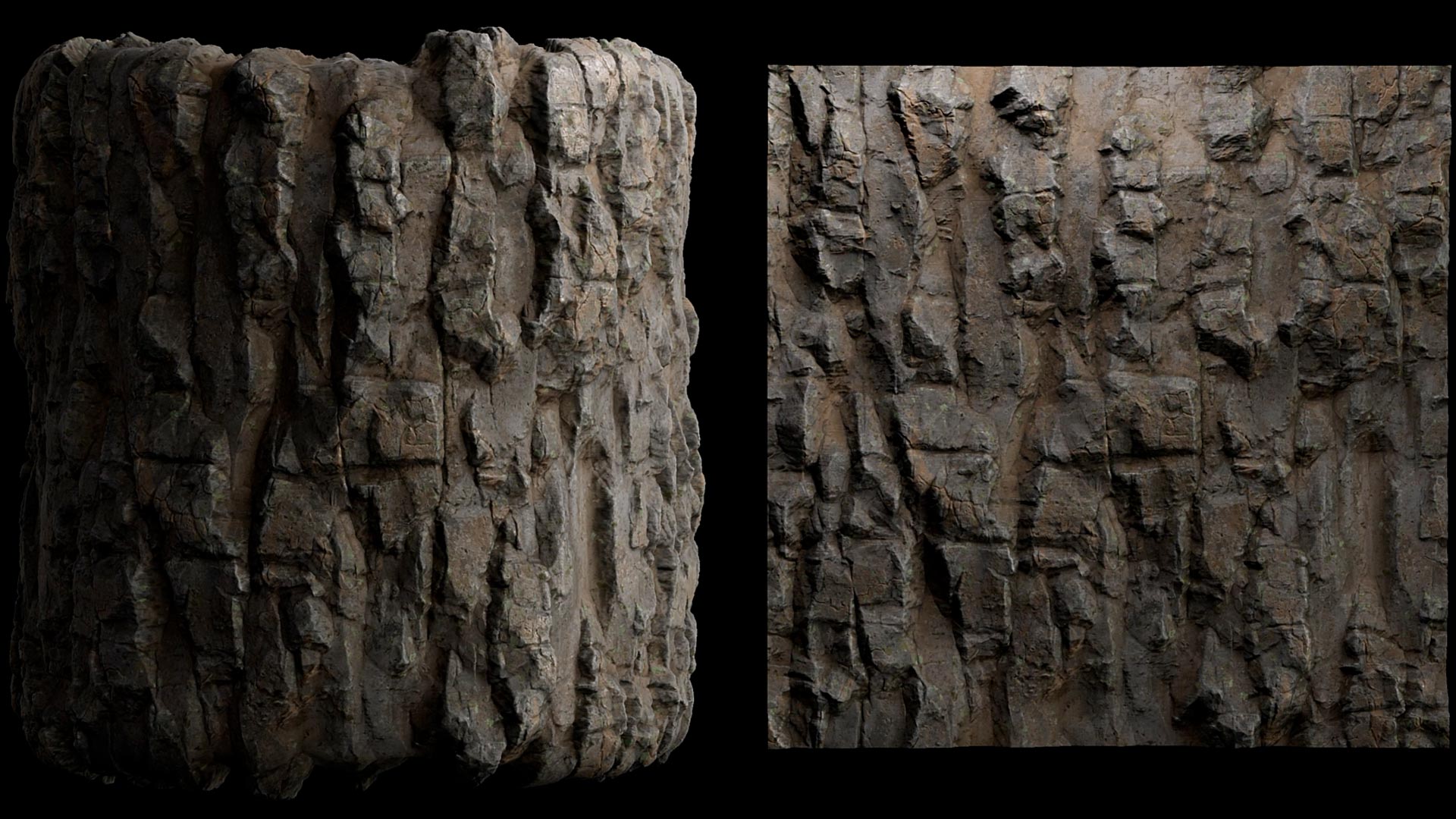
During the workshop, artists will explore the fundamental building blocks of creating a convincing cliff material, including primary shapes and large-scale forms, secondary breakups, erosion patterns, and fine surface detailing. Learn how to identify these different layers of information, construct them procedurally, and organize them efficiently within a clean and readable graph structure. The workshop will also cover color development, roughness creation, texture balancing, and graph optimization techniques to ensure materials remain both visually rich and production-friendly.
By the end of the series, artists will have developed a solid understanding of how to create professional-quality cliff materials ready for real-world production. Discover how to push detail across multiple texture maps while maintaining readability and strong visual hierarchy. Artists will learn how to leverage an existing material graph to generate meaningful variations, resulting in an entire set of related materials that work together as a cohesive collection.
The focus of the workshop is on understanding the artistic and technical process behind material creation, enabling artists to confidently reproduce and adapt the techniques in their own projects.
9 Lessons
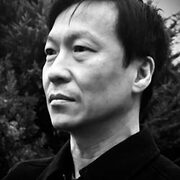
Vincent Dérozier introduces his workshop with a brief introduction of his background, including his traditional art training and key career milestones. This lesson also introduces the workshop’s objectives, supported by reference images and render previews to provide context and establish the project's visual direction.
Duration: 3m 35s

Using Substance Designer, Vincent establishes the material's foundational structure. This lesson includes building base shapes, introducing controlled breakups and deformations, and constructing a clear hierarchical structure.
Duration: 30m 36s

This lesson focuses on the development of secondary forms and surface logic. He explores how to define volumes, merge elements cohesively, create stepping effects, and introduces chiseling, mineral characteristics, cracks, and porosity.
Duration: 37m 40s

This lesson focuses on the application of color theory and procedural techniques. Starting from a neutral base, Vincent uses custom noises, gradient maps, temperature variation, mineral deposits, weathering, and patina to reinforce depth and material readability.
Duration: 38m 35s

In this lesson, Vincent demonstrates how creating convincing, realistic stone materials requires much more than a simple base color and curvature pass; it demands careful layering of frequencies, pigments, leaks, and edge detail, all grounded in the surface's height data. By learning how to control what the viewer sees first, second, and third through shape hierarchy and rhythm, he showcases how to achieve detailed, natural, and visually engaging results.
Duration: 43m 8s

This lesson details the construction of roughness variation to support realism and surface storytelling. Topics included in this lesson cover sediment flow patterns, thickness-driven variation, and embedded stone details.
Duration: 15m 51s

In this lesson, Vincent focuses on helping artists understand the efficiency of graphs in production. He examines and explains how to simplify node structures and identify which elements can be reduced without compromising visual fidelity.
Duration: 30m 33s

In this penultimate lesson, Vincent discusses adapting and extending the base graph to generate alternative heightmaps and surface variations, building a scalable and reusable material system.
Duration: 41m 18s

To conclude Vincent’s workshop, he looks at final refinements and render analysis, and discusses the importance of deterministic workflows and their role in professional production pipelines.
Duration: 16m 11s

Primary tools
For this workshop you’ll need:


* Note that these programs and materials will not be supplied with the course.
Skills Covered
Who’s this Workshop for?
Only a basic understanding of Substance Designer is required in order to follow along with this workshop. Every step, decision, and parameter will be explained throughout the process. The goal is to make the material creation workflow accessible while providing a clear understanding of the techniques used.
More experienced artists may also benefit from the production-focused approach, industry insights, and the development of a practical, game-ready material workflow applicable to professional environment art and texturing projects.
Learning Outcomes
By completing this workshop, artists will learn how to create realistic materials that can be used to build an entire collection of surfaces for a variety of game, cinematic, and real-time environment projects.
Learn how to:
- Create macro shapes through broad elements.
- Create realistic mid and small shapes while creating rhythm.
- Build highly detailed, realistic colors and keep them readable.
- Plan and build working materials.
- Apply Art Fundamentals to material creation.
- Create optimized graphs and scalable recipes.